Category: Async Work

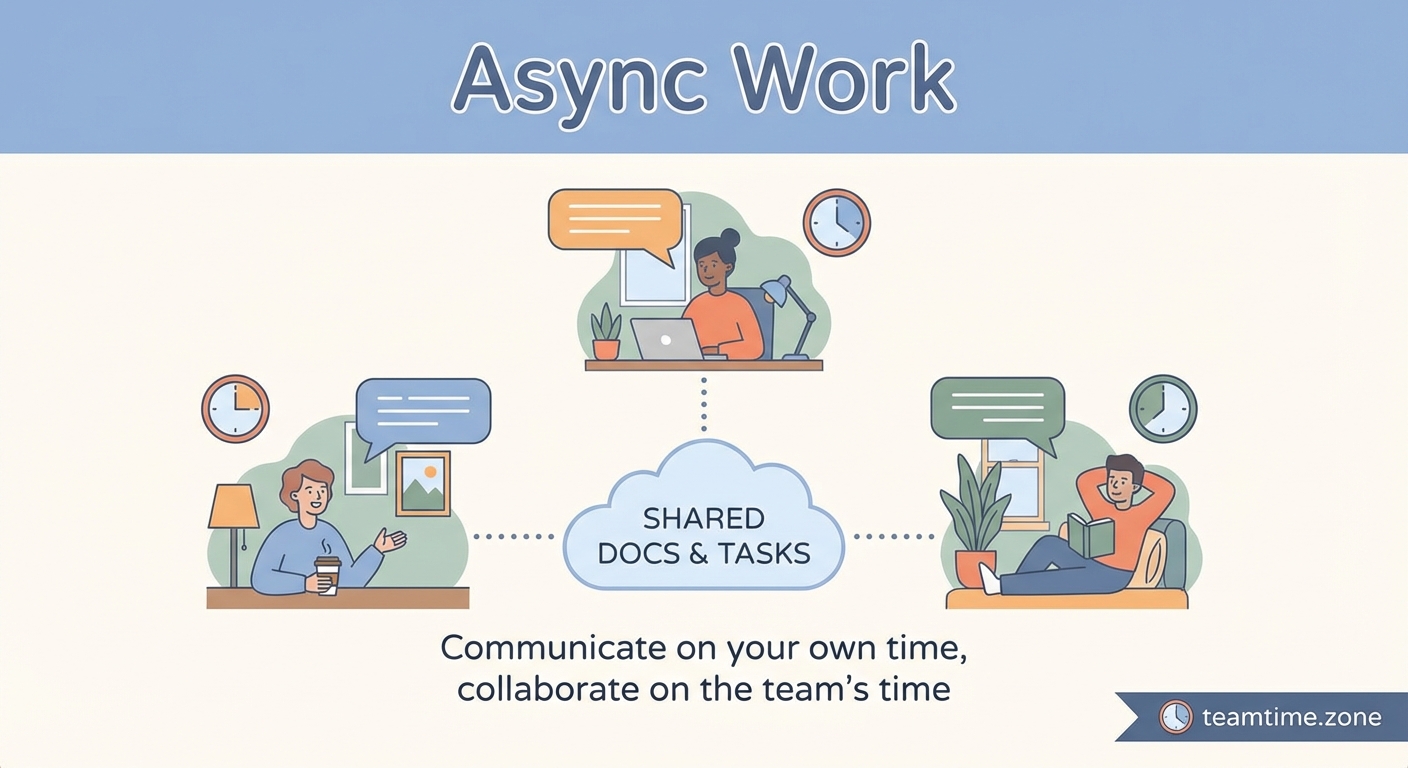
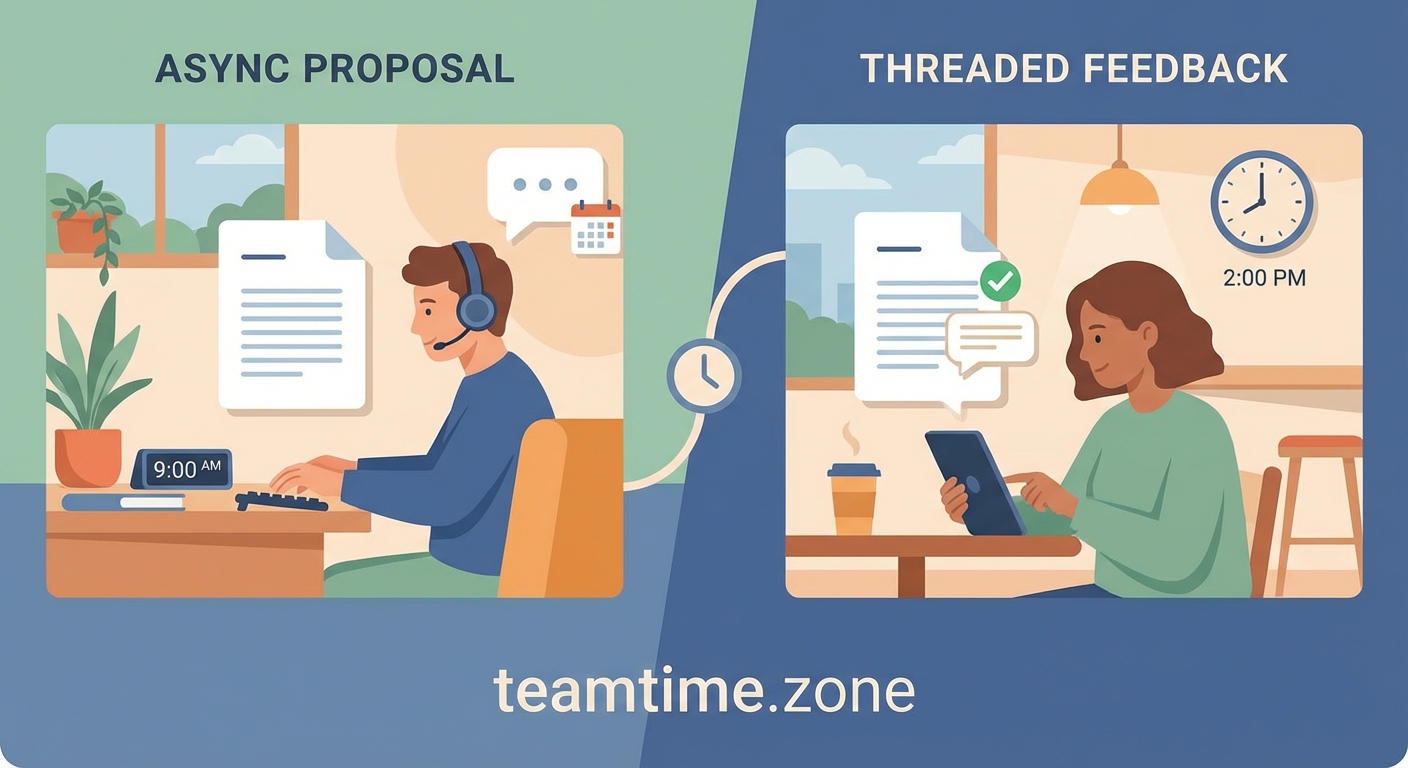
Strategies and workflows for effective asynchronous collaboration across time zones.

  • How to Document Decisions Asynchronously Without Endless Thread Chaos

    Most teams schedule a meeting the moment a decision needs to be made. Someone sends a calendar invite, everyone blocks an hour, and half the participants spend the call multitasking or wondering why they’re even there.

    Here’s the truth: most decisions don’t need a meeting. They need clarity, context, and a structured way for people to contribute on their own time. When you learn how to make decisions asynchronously, you give your team the space to think deeply, respond thoughtfully, and move faster than any conference call ever could.

    Key Takeaway

    Asynchronous decision-making uses written documentation and structured feedback loops to replace live meetings. By identifying stakeholders, setting clear context, using a single communication channel, organizing feedback with numbered lists, and setting deadlines, distributed teams can make faster, better-informed decisions without scheduling conflicts or timezone headaches.

    Why async decisions work better than meetings

    Meetings force everyone to think at the same speed. The loudest voice wins. The person who processes information slowly gets left behind. And anyone in a different timezone either stays up late or misses out entirely.

    Async decision-making flips that dynamic. It gives everyone time to read, reflect, and respond when their brain is actually working. Introverts contribute as effectively as extroverts. People across twelve timezones participate equally. And the decision itself gets documented automatically, so there’s no confusion about what was decided or why.

    The format also surfaces better ideas. When you write down your reasoning, you catch gaps in logic. When others respond in writing, they add nuance that gets lost in the chaos of a live discussion. The result is a decision that’s been stress-tested by multiple perspectives, not just the person who talked the most.

    The 5-step process for making decisions without meetings

    Here’s the framework that turns chaotic Slack threads and endless email chains into clean, actionable decisions.

    1. Identify who needs to be involved

    Start by naming the people who will make the decision and the people who need to provide input. These are not the same group.

    The decision-maker is usually one person, sometimes two. This is the person who will say “yes, we’re doing this” or “no, we’re going a different direction.” If you don’t name this person upfront, the discussion will circle forever.

    The input group includes anyone with relevant expertise, anyone who will be affected by the decision, and anyone whose buy-in you’ll need for execution. Keep this group as small as possible. Every extra person adds delay.

    Write these names at the top of your decision document. Make it obvious who owns the final call.

    2. Set the context in one place

    Your decision document should answer these questions before anyone starts weighing in:

    • What decision are we making?
    • Why does this matter right now?
    • What constraints are we working within (budget, timeline, technical limits)?
    • What options are we considering?
    • What criteria will we use to evaluate those options?

    This context section does the work that a meeting facilitator would normally do. It frames the problem, eliminates confusion, and makes sure everyone is solving the same puzzle.

    Include links to relevant background materials, data, or previous discussions. Don’t make people hunt for information. If they have to ask clarifying questions, your context wasn’t clear enough.

    Building an async-first communication culture means writing context that stands on its own.

    3. Use one channel for all feedback

    Pick a single location for the decision discussion. A Google Doc, a Notion page, a Linear issue, a Basecamp thread. It doesn’t matter which tool you use, but it has to be one tool.

    The moment you split the conversation across Slack, email, and a document, you lose coherence. People repeat points that were already made. The decision-maker misses critical input. And when someone asks “wait, what did we decide?” six weeks later, there’s no single source of truth.

    Post the decision document in that one channel and tell everyone to respond there. No side conversations. No “just sent you a DM about this.” Everything in one place.

    4. Structure feedback with numbered lists

    Here’s where most async decisions fall apart. People leave comments like “I’m not sure about option B” or “have we considered the performance implications?” and the thread becomes a mess of half-formed thoughts.

    Instead, ask people to structure their feedback as numbered points. Like this:

    1. I support option A because it reduces our maintenance burden.
    2. My concern with option B is that it requires a third-party integration we don’t control.
    3. If we go with option A, we should also plan for X as a follow-up.

    When someone wants to respond to a specific point, they reference the number. “Re: your point #2, we could mitigate that risk by…” This keeps the discussion organized and makes it easy to see which concerns have been addressed.

    You can also ask people to rate options on specific criteria using a simple table:

    Criteria Option A Option B Option C
    Speed to implement 3/5 5/5 2/5
    Long-term maintainability 5/5 2/5 4/5
    Cost 4/5 3/5 5/5

    This format forces clarity. It turns vague opinions into structured input that actually helps the decision-maker choose.

    5. Set a deadline and make the call

    Async doesn’t mean “whenever you get around to it.” It means “you have until Friday at 5pm your local time to weigh in.”

    Without a deadline, the decision drags on forever. People assume someone else will respond first. The document sits untouched. Momentum dies.

    Set a clear deadline for feedback. Announce it at the top of the document and remind people halfway through the window. When the deadline hits, the decision-maker reviews all the input and makes the call.

    Then, and this is critical, they write down the decision and the reasoning in the same document. Not in a separate email. Not in a Slack message. Right there in the decision doc, so the whole story lives in one place.

    Common mistakes that derail async decisions

    Even with a solid process, certain patterns will sabotage your async decision-making. Here’s what to watch for:

    Mistake Why it happens How to fix it
    Too many decision-makers No one wants to be left out Name one owner, everyone else is input
    Vague options People rush to document without thinking Spend time upfront clarifying the choices
    No deadline Async feels like “no urgency” Treat deadlines as seriously as meeting times
    Side conversations People default to Slack DMs Redirect all input back to the main document
    Analysis paralysis Fear of making the wrong choice Set a “good enough” bar, not a perfect one

    The biggest mistake is treating async decisions like a suggestion box where everyone votes and the most popular option wins. That’s not decision-making. That’s consensus-seeking, and it produces mediocre outcomes.

    Async decisions work because one person makes the call after gathering structured input. Not because everyone agrees.

    When you actually do need a meeting

    Some decisions genuinely benefit from real-time conversation. Here’s when to schedule the call instead of writing the doc:

    • The decision involves deep uncertainty and you need to brainstorm options before you can even frame the question
    • There’s significant interpersonal conflict and you need to read body language and tone
    • The stakes are high enough that you need to ensure everyone truly understands the implications
    • You’re making a decision that will fundamentally change how the team operates and you need to build emotional buy-in, not just logical agreement

    Even in these cases, you can make the meeting more effective by sending a pre-read document that sets context. The meeting becomes a discussion, not an information dump.

    And after the meeting, you still write down the decision in a shared document. The async artifact matters even when the decision happened live.

    “The quality of a decision is determined by the quality of the information that went into it. Async forces you to make that information explicit, which means better decisions even if they feel slower at first.”

    How async decisions change team dynamics

    When you stop defaulting to meetings for every choice, you change how your team operates. People start writing more clearly because they know their words need to stand on their own. Managers stop being bottlenecks because they can review and respond on their own schedule. And junior team members contribute more because they have time to formulate their thoughts instead of competing for airtime.

    You also build a knowledge base without trying. Every decision document becomes a reference for future choices. When someone asks “why did we choose this architecture?” you link them to the doc. When a new team member joins, they can read through past decisions and understand how the team thinks.

    This compounds over time. The more decisions you make asynchronously, the better your team gets at structured thinking. And the better your documentation becomes, the less time you waste re-explaining context.

    If your team struggles with response time expectations, that’s a separate problem to solve. Managing those expectations is part of building a sustainable async culture.

    Practical examples of async decisions

    Here’s what this looks like in practice across different scenarios:

    Product feature prioritization: The product manager posts a doc with five potential features, customer data for each, and estimated engineering effort. They ask the team to score each feature on impact and feasibility using a table. Deadline is three days. After reviewing the scores and comments, the PM announces the top three priorities and explains the reasoning.

    Hiring a new team member: The hiring manager shares candidate profiles and interview notes in a shared doc. Each interviewer adds numbered feedback covering strengths, concerns, and fit for the role. The hiring manager synthesizes the input, makes a decision, and documents why they chose that candidate or decided to keep looking.

    Changing a team process: The team lead describes the current process, explains what’s not working, and proposes two alternatives. They ask everyone to comment on which option they prefer and what concerns they have. After 48 hours, the lead picks one option, addresses the main concerns with a mitigation plan, and sets a start date.

    Budget allocation: The finance lead posts the available budget and three competing requests. Each requester makes their case with expected ROI. The team scores each request on strategic alignment and urgency. The finance lead makes the call and explains the tradeoffs.

    Notice the pattern. Clear framing, structured input, firm deadline, documented decision. Same process, different contexts.

    Tools that support async decision-making

    You don’t need fancy software to make async decisions. A Google Doc works fine. But certain tools make the process smoother:

    • Notion or Coda for decision documents with built-in tables and databases
    • Linear or Height for product and engineering decisions tied to roadmaps
    • Loom or Vimeo for adding video context when written explanations aren’t enough
    • Miro or Figjam for visual decisions like design direction or architecture diagrams
    • Slack or Teams for announcing decisions and linking to the full document

    The tool matters less than the discipline. Pick one, stick with it, and train your team to use it consistently.

    For teams running async standups, the same tools often work for both daily updates and bigger decisions.

    Training your team to decide asynchronously

    If your team is used to meeting-driven decisions, this shift will feel awkward at first. People will ask “shouldn’t we just hop on a call?” or leave vague comments instead of structured feedback.

    Start small. Pick one low-stakes decision and run it through the async process. Show the team what good context looks like. Model numbered feedback. Make the decision on time and document it clearly.

    Then do it again. And again. After three or four async decisions, the pattern clicks. People start to see that they can think more clearly, contribute more meaningfully, and get decisions made faster without the meeting overhead.

    You can also create workflow templates for common decision types. This reduces the friction of starting a new decision doc and ensures consistency across the team.

    Expect resistance from people who process information verbally or who are used to influencing decisions through meeting room presence. That’s fine. Give them space to adapt. Show them that their input still matters, it just needs to be written down.

    Making better choices on your own timeline

    Asynchronous decision-making isn’t about avoiding human interaction. It’s about respecting that good thinking takes time and that not everyone’s best thinking happens in the same hour.

    When you give people the space to process information, formulate their thoughts, and contribute on their own schedule, you get better decisions. When you document the reasoning behind those decisions, you build institutional knowledge that outlasts any individual team member.

    Start with your next small decision. Write the context. Name the decision-maker. Set a deadline. See what happens when you give your team room to think.

    The meetings you don’t schedule are just as valuable as the decisions you make.
  • 7 Async Workflow Templates for Common Remote Team Scenarios

    Remote teams waste hours every week waiting for replies, scheduling meetings that could be messages, and watching Slack threads spiral into chaos. The problem isn’t your tools or your people. It’s the lack of structured async workflows that let everyone contribute on their own schedule.

    Key Takeaway

    Async workflow templates remote teams need include structured formats for daily updates, project handoffs, decision-making, feedback loops, and planning cycles. These frameworks reduce meeting time by 40-60%, eliminate timezone bottlenecks, and create searchable documentation. Each template defines what information goes where, who responds when, and how to escalate to real-time discussion only when necessary.

    Why most async attempts fail without templates

    You tell your team to “post updates asynchronously” and hope it works.

    It doesn’t.

    People write three-paragraph essays about their lunch break. Others post “working on stuff” with zero context. Critical decisions get buried in thread replies. Blockers sit unnoticed for days.

    The issue isn’t commitment. It’s the absence of structure.

    Templates solve this by defining exactly what information matters, where it lives, and when people should engage. They turn vague instructions into repeatable systems that work whether your team spans two time zones or twelve.

    Template 1: The async daily standup

    This replaces your morning meeting with a structured update that takes three minutes to write and two minutes to read.

    Format:

    Yesterday: [2-3 completed outcomes with links]
    Today: [1-3 planned outcomes with definitions of done]
    Blockers: [Specific obstacles with @ mentions for who can help]
    

    Operating rules:

    1. Post by 10am in your timezone, no exceptions
    2. Write outcomes, not activities (shipped login flow, not worked on auth)
    3. Keep “Today” to three items maximum
    4. Blockers must tag someone who can actually unblock you
    5. Responses happen within 4 hours during your workday

    Example from a product team:

    Yesterday:
    - Shipped password reset flow to staging (link to PR)
    - Reviewed mobile designs, left feedback in Figma
    
    Today:
    - Merge password reset after QA signoff
    - Start API integration for notification preferences (done = endpoints documented)
    
    Blockers:
    None
    

    This format forces clarity. You can’t hide behind vague language when you need to state what “done” means.

    Teams using how to build an async-first communication culture in your remote team report 30-50% fewer status meetings after implementing this template.

    Template 2: The project handoff document

    Use this when work moves between people, teams, or phases. It prevents the “I didn’t know that was my job” disaster.

    Required sections:

    1. Current status snapshot: Where things stand right now in one sentence
    2. What shipped since last update: Completed work with links to artifacts
    3. In-progress work: Active tasks with current owners and expected completion
    4. Decisions made: What was decided, why, and who decided it
    5. Known risks: Problems brewing with severity ratings
    6. Next owner actions: Specific tasks with clear definitions of done
    7. Key links: Documents, designs, code, data in one place
    8. Escalation triggers: When to switch to real-time discussion

    Example handoff from design to engineering:

    STATUS: Ready for development, pending API spec clarification
    
    SHIPPED:
    - Final designs in Figma (link)
    - User flow documentation (link)
    - Accessibility audit completed (link)
    
    IN PROGRESS:
    - Loading state animations (Maria, done Friday)
    
    DECISIONS:
    - Using modal instead of drawer for mobile (better conversion in A/B test)
    - Postponing dark mode to v2 (engineering capacity)
    
    RISKS:
    - API response time might require skeleton screens (medium severity)
    
    NEXT ACTIONS FOR ENGINEERING:
    1. Review Figma file and flag any technical constraints
    2. Confirm API endpoints match expected data structure
    3. Build desktop version first, mobile second
    
    LINKS:
    - Figma: [link]
    - User research: [link]
    - Technical requirements: [link]
    
    ESCALATE IF:
    - API structure doesn't support designs
    - Timeline needs to shift more than 3 days
    

    This template creates a paper trail that survives Slack’s 90-day limit and prevents information loss when people switch projects or leave.

    Template 3: The async decision framework

    Most decisions don’t need a meeting. They need a structured way to gather input and reach consensus.

    The five-step process:

    1. State the decision: One sentence describing what needs deciding
    2. Provide context: Why this matters and what happens if we don’t decide
    3. List options: 2-4 choices with pros and cons for each
    4. Set decision criteria: How we’ll evaluate options (cost, speed, user impact, etc.)
    5. Define the deadline: When the decision gets made and who makes it if no consensus

    Response format for team members:

    My vote: [Option number]
    Reasoning: [2-3 sentences]
    Concerns: [Specific risks or questions]
    

    Example decision post:

    DECISION: Choose authentication method for new API
    
    CONTEXT:
    We're building public API access for enterprise customers. Launch is June 15. Without this decision, engineering can't start implementation next week.
    
    OPTIONS:
    1. API keys (simple, less secure, easy to implement)
    2. OAuth 2.0 (industry standard, complex setup, better security)
    3. JWT tokens (modern, flexible, requires more documentation)
    
    CRITERIA:
    - Security (high priority)
    - Implementation time (must fit 4-week timeline)
    - Developer experience (affects adoption)
    
    DEADLINE:
    Friday 5pm ET. If no consensus, CTO makes final call.
    
    RESPOND BY:
    Wednesday end of day in your timezone
    

    This approach surfaces disagreements early and documents the reasoning behind decisions for future reference.

    Template 4: The async feedback cycle

    Code reviews, design critiques, and document edits all benefit from structured async feedback.

    Feedback template:

    REVIEWING: [Link to work]
    
    STRENGTHS:
    - [Specific things that work well]
    
    SUGGESTIONS:
    - [Concrete improvements with reasoning]
    
    QUESTIONS:
    - [Clarifications needed before approval]
    
    APPROVAL STATUS: [Approved / Approved with changes / Needs revision]
    

    Rules that make it work:

    • Feedback due within 24 hours during your workday
    • “Approved with changes” means minor tweaks, not major revisions
    • Questions block approval until answered
    • Author responds to all feedback within 24 hours of receiving it

    This prevents the feedback black hole where work sits waiting for responses that never come.

    Template 5: The weekly planning document

    Replace your Monday morning planning meeting with a shared document everyone updates on Friday.

    Structure:

    WEEK OF: [Date range]
    
    TEAM PRIORITIES:
    1. [Top priority with success metric]
    2. [Second priority with success metric]
    3. [Third priority with success metric]
    
    INDIVIDUAL PLANS:
    [Name]:
    - [Outcome 1 with definition of done]
    - [Outcome 2 with definition of done]
    - Capacity: [Percentage of week, accounting for meetings/PTO]
    
    [Next person...]
    
    DEPENDENCIES:
    - [Who needs what from whom by when]
    
    RISKS:
    - [Potential blockers with mitigation plans]
    

    Everyone fills their section by Friday 3pm in their timezone. Monday morning, you read it over coffee instead of sitting in a meeting.

    Common mistakes that break async workflows

    Mistake Why it fails Fix
    No response time expectations Updates sit unread for days Set 4-hour or 24-hour response windows
    Vague language allowed “Making progress” means nothing Require specific outcomes and metrics
    No escalation path Urgent issues get async treatment Define when to switch to real-time
    Templates too complex People skip sections Keep to 5-7 fields maximum
    No accountability Updates become optional Track completion rates publicly
    Missing context New people can’t follow threads Require links to background docs

    The biggest mistake is treating async work as “just post whenever.” That creates chaos. Templates create consistency.

    Making templates stick in your team culture

    Rolling out new workflows requires more than posting a template in Slack.

    Implementation checklist:

    • Start with one template, not all five at once
    • Run a two-week trial with opt-in volunteers
    • Collect feedback and adjust the format
    • Show before/after metrics (meetings saved, response times, etc.)
    • Make templates the default, not an option
    • Review compliance weekly for the first month

    “We tried async standups three times before they stuck. The difference was moving from ‘here’s a template, use it if you want’ to ‘this is how we do standups now, period.’ Clarity beats flexibility when building new habits.” – Engineering manager at a 40-person remote company

    The complete guide to async standups that actually work covers the psychology of habit formation in distributed teams.

    When to use sync communication instead

    Templates handle 70-80% of team coordination. The other 20% still needs real-time discussion.

    Switch to synchronous when:

    • Conflict needs resolving (async makes it worse)
    • Brainstorming new ideas (riffing works better live)
    • Sensitive feedback delivery (tone matters too much)
    • Crisis response (speed beats documentation)
    • Building personal connection (relationship maintenance)

    The goal isn’t eliminating meetings. It’s making sure every meeting earns its spot on the calendar.

    Adapting templates for different team sizes

    Small teams (5-15 people) can use simpler formats with fewer fields. Everyone knows the context already.

    Medium teams (15-50 people) need the full template structure. Information gets lost without it.

    Large teams (50+ people) should add tagging systems and summary views. Reading 50 standup updates isn’t realistic.

    Scale the complexity to match your coordination overhead.

    Measuring if your templates actually work

    Track these metrics monthly:

    • Meeting hours per person: Should drop 30-50% after template adoption
    • Response time to blockers: Should improve to under 4 hours
    • Decision cycle time: How long from question to resolution
    • Information findability: Can new team members locate decisions and context
    • Template completion rate: What percentage of people use them consistently

    If metrics don’t improve after 30 days, your template is too complex or missing key fields.

    Tools that support template workflows

    You don’t need special software. These templates work in:

    • Slack/Teams: Pin templates in channels, use workflows for reminders
    • Notion/Confluence: Create template pages people duplicate
    • Linear/Asana: Custom fields for standup updates
    • GitHub/GitLab: Issue templates for handoffs and decisions
    • Google Docs: Shared documents with commenting

    The tool matters less than the structure. Pick what your team already uses.

    Understanding why your remote team’s response time expectations are killing productivity helps you set realistic timelines for template responses.

    Building your async workflow library

    Start with these three templates this month:

    1. Daily standups (highest impact, easiest adoption)
    2. Decision framework (eliminates most meetings)
    3. Weekly planning (replaces Monday morning sync)

    Add the handoff and feedback templates next month after the first three become habits.

    Document your templates in a central location everyone can access. Update them quarterly based on what’s working and what’s creating friction.

    Async workflows that respect human schedules

    Templates aren’t about squeezing more productivity from your team. They’re about respecting that people work at different times, in different contexts, with different energy levels throughout the day.

    A parent picking up kids at 3pm shouldn’t miss critical updates. A night owl in Sydney shouldn’t wait for San Francisco to wake up. Someone deep in focus mode shouldn’t get interrupted by a question that could wait four hours.

    Good templates create space for everyone to do their best work on their own schedule while keeping the team coordinated and moving forward. That’s the whole point of remote work done right.

    Start with one template tomorrow. Copy the async standup format above, post it in your team channel, and ask everyone to try it for one week. You’ll know within three days if it’s working.

  • Why Your Remote Team’s Response Time Expectations Are Killing Productivity

    Your remote team is online all day. Chat messages pile up. Video calls fill the calendar. Everyone seems busy.

    Yet projects still miss deadlines. Quality drops. Team members report feeling exhausted. And you’re left wondering if remote work is actually killing productivity.

    Key Takeaway

    Remote work isn’t killing productivity. Unrealistic response time expectations are. When managers demand instant replies across time zones, teams spend their days context switching instead of doing deep work. The solution isn’t more meetings or monitoring. It’s building async-first systems that let people work during their peak hours without constant interruptions.

    The Real Culprit Behind Remote Work Productivity Problems

    Remote work gets blamed for productivity issues it didn’t cause.

    The actual problem? Most managers transplanted office-era expectations into a distributed environment. They expect instant responses. They schedule synchronous meetings across incompatible time zones. They measure presence instead of output.

    This creates a toxic cycle. Team members in different time zones feel pressured to be available during hours that don’t match their local schedule. Someone in Berlin stays up until midnight for calls with San Francisco. Someone in Manila starts work at 6 AM to overlap with London.

    Everyone’s online, but nobody’s doing their best work.

    The human brain needs uninterrupted blocks of time for complex tasks. Research shows it takes an average of 23 minutes to regain focus after an interruption. When your team faces constant Slack pings and meeting invitations, they never enter that focused state where real productivity happens.

    You end up with what looks like activity but delivers minimal results.

    Why Instant Response Culture Destroys Deep Work

    Here’s what happens when you demand immediate responses from a distributed team:

    • Team members check messages every few minutes instead of focusing on tasks
    • People work during their least productive hours to match other time zones
    • Context switching becomes the default mode of operation
    • Important work gets pushed to nights and weekends
    • Burnout rates skyrocket while output plummets

    One engineering manager shared that his team was “always available” but took three weeks to ship a feature that should have taken five days. The problem wasn’t skill or effort. It was fragmentation.

    His developers spent mornings in standups, midday answering questions in chat, afternoons in planning meetings, and evenings trying to actually code. By the time they sat down to write software, their mental energy was depleted.

    The Synchronous Trap Across Time Zones

    Let’s look at what synchronous-first communication does to a global team:

    Time Zone Local Time Activity Impact on Productivity
    San Francisco 9 AM Starting workday Peak energy wasted in meetings
    New York 12 PM Mid-day Constant interruptions from west coast
    London 5 PM End of day Staying late for US calls
    Singapore 12 AM Midnight Impossible overlap, excluded from decisions

    Notice the pattern? Nobody wins.

    The San Francisco team starts their day immediately jumping into meetings. The London team stays late, sacrificing personal time. The Singapore team either works through the night or gets left out of important conversations entirely.

    This isn’t a remote work problem. It’s a synchronous communication problem applied to an asynchronous world.

    What Actually Kills Productivity in Remote Teams

    After analyzing hundreds of distributed teams, three patterns emerge consistently:

    1. Meeting overload disguised as collaboration: Teams schedule video calls for everything because it feels like “real work.” In reality, most meetings could be documented decisions or async updates.

    2. Response time expectations that ignore time zones: Managers set a mental timer and get frustrated when someone doesn’t reply within an hour, forgetting that person might be asleep or in their focused work block.

    3. Lack of documentation culture: Without written processes and decisions, teams rely on synchronous communication to transfer knowledge. This creates bottlenecks and excludes anyone not online at that moment.

    The solution isn’t to abandon remote work. It’s to build systems that work with distributed teams instead of against them.

    Building Systems That Support Actual Productivity

    Here’s how to restructure your remote team for real output:

    Shift to Async-First Communication

    Default to asynchronous communication for everything except true emergencies. This means:

    • Write decisions in shared documents instead of announcing them in meetings
    • Use recorded video messages for updates that don’t need live discussion
    • Set clear expectations that responses within 24 hours are acceptable
    • Reserve synchronous time for brainstorming and relationship building

    How to build an async-first communication culture in your remote team provides a framework for making this transition without losing team cohesion.

    Replace Daily Standups with Written Updates

    Daily video standups feel productive but often waste everyone’s time. Three people share updates while seven others multitask.

    Written standups let each person share their update when it makes sense for their schedule. Managers can read all updates in five minutes instead of sitting through a 30-minute call.

    The complete guide to async standups that actually work shows exactly how to structure these updates for maximum clarity and minimum time investment.

    Define Core Hours Without Demanding Full Overlap

    Instead of expecting everyone online simultaneously, define a small window of overlap for urgent issues. Maybe two hours where most team members are available.

    Outside that window, assume people are working during their peak productivity hours. A developer in Tokyo might do their best coding at 6 AM local time. A designer in Berlin might be most creative in the evening.

    Let them work when they work best.

    Measure Output, Not Activity

    Stop tracking hours online. Stop monitoring message response times. Stop counting meetings attended.

    Start measuring what actually matters:

    • Did the feature ship on time?
    • Does it meet quality standards?
    • Did the customer problem get solved?
    • Is the documentation clear enough for others to understand?

    “We switched from tracking activity to measuring outcomes and our productivity jumped 40% in three months. Turns out people do better work when you trust them to manage their own time.” – Sarah Chen, Director of Engineering

    The Documentation Habit That Changes Everything

    Most productivity issues in remote teams trace back to poor documentation.

    When knowledge lives in people’s heads or chat history, you create dependencies. Someone can’t move forward until they get an answer from a specific person. That person might be asleep, in a focus block, or dealing with their own urgent tasks.

    Documentation breaks these dependencies.

    Here’s how to build a documentation culture:

    1. Create templates for common decisions: Make it easy to document by providing structure. A template for technical decisions, another for product choices, another for process changes.

    2. Make documentation part of the definition of done: A task isn’t complete until the approach is documented. A decision isn’t final until it’s written down where others can find it.

    3. Reward good documentation publicly: When someone writes clear, helpful documentation, call it out. Make it a valued skill, not an afterthought.

    Documentation feels like extra work at first. But it’s an investment that pays dividends every time someone finds an answer without interrupting someone else.

    Practical Changes You Can Implement This Week

    You don’t need to overhaul everything at once. Start with these changes:

    Monday: Audit your recurring meetings. Cancel any that could be an email or document. Cut the length of others by half.

    Tuesday: Establish response time expectations in writing. Make it clear that 24-hour response times are standard, not same-hour.

    Wednesday: Pick one repetitive meeting and convert it to async. Document the format and test it for a week.

    Thursday: Create three documentation templates for your most common decisions or updates.

    Friday: Review what worked and what didn’t. Adjust based on team feedback.

    Small changes compound. Each reduction in unnecessary synchronous communication gives your team more time for focused work.

    The Productivity Paradox of Remote Work

    Here’s the paradox: remote work has the potential to be more productive than office work, but only if you manage it differently.

    In an office, constant interruptions are normalized. Someone taps your shoulder. A conversation happens three desks away. The coffee machine becomes a meeting spot.

    Remote work removes these physical interruptions. But many managers replace them with digital ones. Constant messages. Unnecessary video calls. Expectation of immediate availability.

    The teams that thrive with remote work are those that embrace its asynchronous nature. They communicate deliberately. They document decisions. They trust their people to do great work without watching them do it.

    The teams that struggle are those trying to recreate the office environment online. They’re fighting against the fundamental nature of distributed work.

    When Synchronous Communication Actually Matters

    Async-first doesn’t mean async-only.

    Some situations genuinely benefit from real-time conversation:

    • Brainstorming new ideas where rapid back-and-forth sparks creativity
    • Resolving conflicts where tone and immediate clarification matter
    • Building relationships and team culture through casual conversation
    • Onboarding new team members who need hands-on guidance
    • Crisis situations requiring immediate coordination

    The key is making synchronous communication the exception, not the default. When you do schedule real-time meetings, they become more valuable because they’re not competing with three other calls that day.

    Your Team Isn’t Lazy or Uncommitted

    If your remote team seems busy but unproductive, the problem isn’t their work ethic.

    They’re probably working harder than ever. Staying online longer. Trying to be available across time zones. Squeezing actual work into the gaps between meetings and messages.

    That’s exhausting and unsustainable.

    The solution is structural, not motivational. You don’t need to inspire them to work harder. You need to remove the barriers preventing them from working effectively.

    Give them uninterrupted time. Clear expectations. Trust to manage their own schedules. Documentation that eliminates dependencies.

    Then watch productivity soar.

    Stop Fighting Remote Work and Start Working With It

    Remote work isn’t killing productivity in your team.

    Your response time expectations are. Your meeting culture is. Your insistence on synchronous communication across incompatible time zones is.

    The good news? These are all fixable.

    Start by questioning every synchronous touchpoint. Does this meeting need to happen live? Could this message wait for a response tomorrow? Is this interruption truly urgent?

    Build systems that assume people work at different times. Create documentation that transfers knowledge without requiring someone to be online. Measure what people produce, not when they produce it.

    Your team wants to do great work. Give them the structure to make that possible, and remote work becomes your competitive advantage instead of your excuse for missed deadlines.

  • The Complete Guide to Async Standups That Actually Work

    Daily standups were invented for teams sitting in the same room. Now your designer is in Berlin, your backend engineer is in Austin, and your QA lead is in Manila. Asking everyone to join a live call means someone is always half asleep or eating dinner while pretending to pay attention.

    Async standups solve this problem by letting everyone share updates on their own schedule. No more 6am alarms or midnight meetings. Just structured check-ins that create visibility without destroying focus time.

    Key Takeaway

    Async standups replace synchronous meetings with written or video updates that team members submit within a set window. They preserve accountability and transparency while eliminating timezone conflicts, reducing meeting fatigue, and giving developers uninterrupted blocks for deep work. Success depends on clear templates, consistent participation, and manager follow-through on blockers.

    Why synchronous standups break down for distributed teams

    Traditional standups assume everyone can meet at the same time. That worked fine when agile methodologies emerged in the early 2000s for colocated teams.

    But remote work changed everything.

    When your team spans eight timezones, finding a slot that works for everyone is impossible. Someone always gets the short end. They join groggy, distracted, or resentful because this meeting disrupted their most productive hours.

    Even worse, synchronous standups interrupt flow. A developer finally gets into deep focus on a complex problem, then a calendar notification pops up. They context switch, spend 15 minutes hearing updates that don’t affect their work, then spend another 20 minutes getting back into the zone.

    The math is brutal. If you have eight people on a call for 15 minutes, that’s two hours of collective time. Do that five days a week and you’ve burned 10 hours of team capacity on status updates.

    Async standups eliminate all of this friction. Team members post updates when it fits their schedule. Everyone reads what matters to them. No one loses their morning flow state to hear that Sarah is still working on the login bug.

    What makes an async standup actually work

    Not all async standups are created equal. Some teams try it and end up with radio silence or vague updates that provide zero value.

    The difference comes down to structure.

    A working async standup has three core elements. First, a consistent format that everyone follows. Second, a clear submission window so updates arrive when people expect them. Third, accountability mechanisms that ensure participation and follow-through.

    Without these pieces, async standups become optional status reports that people ignore. With them, you get a reliable system that keeps distributed teams aligned.

    The submission window matters more than you think

    Most teams set a deadline like “post your update by 10am in your timezone” or “submit before end of day.”

    This creates predictability. Team members in New York can read updates from their European colleagues first thing in the morning. People in California see what happened across all timezones when they start their day.

    The window also needs a review period. If updates are due by 10am, managers should respond to blockers by noon. This rhythm creates urgency without requiring real-time interaction.

    Some teams use rolling 24-hour windows. Updates posted Monday at 3pm in Berlin get read by Tuesday morning in San Francisco. This works well for teams that don’t need daily synchronization.

    The key is consistency. Pick a schedule and stick to it. Random timing kills the habit.

    The three-question framework that prevents vague updates

    Most async standup templates ask three questions:

    1. What did you accomplish yesterday?
    2. What are you working on today?
    3. What’s blocking you?

    This format comes straight from Scrum. It’s simple and familiar.

    But simplicity creates problems. People write “worked on the API” or “making progress on the dashboard.” These updates tell you nothing.

    Better templates add specificity requirements:

    1. What did you ship or complete yesterday? (Link to PRs, tickets, or deliverables)
    2. What’s your top priority today? (One specific outcome, not a vague task)
    3. Do you have blockers? (Name the person or resource you need)

    The difference is massive. “Worked on the API” becomes “Merged PR #847 that adds rate limiting to the auth endpoint.” Now your team knows exactly what happened.

    Some teams add a fourth question: “What can you help others with today?” This surfaces expertise and encourages collaboration across timezones.

    Video updates versus written text

    Written updates are faster to create and easier to scan. Most teams default to text in Slack, Notion, or dedicated standup tools.

    Video updates add context that text can’t capture. You hear tone, see facial expressions, and pick up on hesitation when someone says they’re “fine” but clearly isn’t.

    Video also reduces ambiguity. A two-minute recording explaining a technical blocker is often clearer than three paragraphs of text.

    The tradeoff is time. Recording takes longer than typing. Watching takes longer than skimming.

    Many teams use a hybrid approach. Text for routine updates, video for complex topics or when you need to demonstrate something visual.

    Building an async-first communication culture helps teams figure out which format works best for different situations.

    Practical implementation in five steps

    Here’s how to roll out async standups without chaos:

    1. Pick your platform. Slack threads, a dedicated channel, Notion pages, or purpose-built standup tools. Choose based on where your team already lives. Don’t add another tool if you can avoid it.

    2. Create the template. Write out the exact questions you want answered. Pin it somewhere visible. Make it easy to copy and paste.

    3. Set the schedule. Decide on submission deadlines and review windows. Communicate them clearly. Add calendar reminders for the first two weeks.

    4. Run a pilot week. Start with one team or a small group. Work out the kinks before going company-wide. Adjust the template based on feedback.

    5. Establish accountability. Track participation rates. Follow up on blockers within your review window. Celebrate good examples of clear updates.

    The first week will feel awkward. People will forget to post or write one-sentence updates. That’s normal. Consistency builds the habit.

    Common mistakes that kill async standups

    Even well-intentioned teams make predictable errors. Here are the biggest ones and how to avoid them:

    Mistake Why It Happens How to Fix It
    Updates become status reports No clear audience or purpose Emphasize what teammates need to know, not what you did
    Managers don’t respond Too many updates to track Use automation to surface blockers and @mentions
    Participation drops off No consequences for skipping Make it part of performance expectations
    Updates are too long People over-explain Set a word count or time limit
    No one reads them Information overload Create summaries or use threading

    The manager response issue is critical. If someone posts a blocker and hears nothing for two days, they’ll stop posting blockers. Or worse, they’ll stop participating entirely.

    You need a system for triaging updates. Some teams use bots that flag keywords like “blocked” or “help needed.” Others assign a rotating “standup lead” who reads everything and escalates issues.

    Tools and automation that actually help

    You don’t need fancy software to run async standups. A Slack channel and some discipline work fine.

    But tools can reduce friction and improve consistency.

    Standup bots like Geekbot or DailyBot send automated prompts at scheduled times. Team members reply in a thread. The bot compiles responses into a digest.

    This removes the “remembering to post” problem. The prompt shows up, you answer, you’re done.

    Project management tools like Linear or Jira can auto-generate standup updates from ticket activity. “Yesterday I closed PROJ-847 and started PROJ-901” gets pulled directly from your work log.

    This works well for teams that already track everything in tickets. It fails for teams with poor ticket hygiene or work that doesn’t fit into a ticket system.

    Notion or Confluence pages give you more formatting flexibility. You can embed links, images, or tables. The downside is they live outside your communication flow, so people have to remember to check them.

    The best tool is the one your team will actually use. Start simple and add automation only when manual processes become painful.

    When to keep synchronous standups

    Async isn’t always better.

    Some situations genuinely need real-time conversation. A production incident requires immediate coordination. A sprint kickoff benefits from live discussion. A team struggling with morale needs face-to-face connection.

    The solution isn’t choosing between async and sync. It’s using each for what it does best.

    Many teams run async standups four days a week and hold one synchronous meeting on Monday or Friday. The live meeting covers bigger picture topics like sprint planning, retrospectives, or team building.

    Others go fully async for standups but schedule ad-hoc sync calls when blockers need immediate resolution.

    The goal is intentionality. Every synchronous meeting should have a clear reason for being synchronous. “We’ve always done it this way” isn’t a reason.

    Measuring whether your async standups work

    How do you know if this is actually helping?

    Track these metrics:

    • Participation rate. What percentage of team members post updates consistently? Aim for 90% or higher.
    • Blocker resolution time. How long between someone posting a blocker and getting help? Should be under four hours during work hours.
    • Meeting time saved. Calculate the hours you’re not spending in live standups. Multiply by team size.
    • Team sentiment. Survey your team quarterly. Ask if async standups help them stay informed without disrupting focus.

    Numbers tell part of the story. Qualitative feedback tells the rest.

    If people say they feel more informed and less interrupted, you’re winning. If they say they miss the connection of live meetings, you might need hybrid approach.

    Real examples from distributed teams

    A 12-person engineering team at a SaaS company switched to async standups when they hired developers in three new timezones. They use a Slack channel with a simple template. Updates are due by 9am local time. The engineering manager reads everything by 10am and responds to blockers immediately.

    Result: They eliminated five hours of meeting time per week and reduced the time to resolve blockers from one day to two hours.

    A design team at a fintech startup uses Loom videos for their async standups. Each designer records a two-minute walkthrough of their work in progress. The team watches videos on 1.5x speed while drinking morning coffee.

    Result: Better design feedback because people can see the actual work, not just descriptions. Fewer misunderstandings about design direction.

    A customer success team posts async updates in Notion. Each person adds a row to a shared table with their top three priorities and any customer escalations. The table lives on their team dashboard alongside metrics and documentation.

    Result: Everyone knows who’s handling which accounts without constant Slack messages. New hires get context faster because historical updates are searchable.

    These teams didn’t use expensive tools or complex processes. They picked a format that fit their workflow and committed to consistency.

    “The hardest part of async standups isn’t the format or the tool. It’s getting managers to respond to updates as reliably as team members post them. If you want participation, you have to show that you’re reading and acting on what people share.” – Engineering manager at a 200-person remote company

    Making async standups stick long-term

    The first month is easy. Everyone tries the new system. Participation is high.

    Then the novelty wears off. Someone skips a day. Then another person. Soon you’re back to irregular updates and low engagement.

    Preventing this requires building async standups into your team rhythm.

    Make it part of onboarding. New hires should see established team members posting updates from day one. Include standup expectations in your team handbook.

    Celebrate good examples. When someone posts a particularly clear or helpful update, call it out publicly. This reinforces what good looks like.

    Address low participation directly. If someone consistently skips updates, have a private conversation. Understand if there’s a real barrier or if they just don’t see the value.

    Iterate on the format. Every quarter, ask your team what’s working and what isn’t. Adjust questions, timing, or tools based on feedback.

    The teams that succeed with async standups treat them like infrastructure, not an experiment. They’re a permanent part of how the team communicates.

    From timezone chaos to coordinated execution

    Async standups won’t solve every communication problem on your distributed team. They won’t replace the need for documentation, one-on-ones, or occasional synchronous meetings.

    But they will eliminate the daily scramble to find a time that works for everyone. They’ll give your team a reliable way to stay aligned without sacrificing focus time. And they’ll create a written record of progress that’s searchable and permanent.

    Start with the three-question template. Pick a submission window that works for your team’s timezone distribution. Use whatever tool you already have. Run it for two weeks and adjust based on what you learn.

    The goal isn’t perfect updates from day one. It’s building a habit that makes distributed work feel less chaotic and more coordinated.

  • The Complete Guide to Async Standups That Actually Work

    Daily standups were invented for teams sitting in the same room. Now your designer is in Berlin, your backend engineer is in Austin, and your QA lead is in Manila. Asking everyone to join a live call means someone is always half asleep or eating dinner while pretending to pay attention.

    Async standups solve this problem by letting everyone share updates on their own schedule. No more 6am alarms or midnight meetings. Just structured check-ins that create visibility without destroying focus time.

    Key Takeaway

    Async standups replace synchronous meetings with written or video updates that team members submit within a set window. They preserve accountability and transparency while eliminating timezone conflicts, reducing meeting fatigue, and giving developers uninterrupted blocks for deep work. Success depends on clear templates, consistent participation, and manager follow-through on blockers.

    Why synchronous standups break down for distributed teams

    Traditional standups assume everyone can meet at the same time. That worked fine when agile methodologies emerged in the early 2000s for colocated teams.

    But remote work changed everything.

    When your team spans eight timezones, finding a slot that works for everyone is impossible. Someone always gets the short end. They join groggy, distracted, or resentful because this meeting disrupted their most productive hours.

    Even worse, synchronous standups interrupt flow. A developer finally gets into deep focus on a complex problem, then a calendar notification pops up. They context switch, spend 15 minutes hearing updates that don’t affect their work, then spend another 20 minutes getting back into the zone.

    The math is brutal. If you have eight people on a call for 15 minutes, that’s two hours of collective time. Do that five days a week and you’ve burned 10 hours of team capacity on status updates.

    Async standups eliminate all of this friction. Team members post updates when it fits their schedule. Everyone reads what matters to them. No one loses their morning flow state to hear that Sarah is still working on the login bug.

    What makes an async standup actually work

    Not all async standups are created equal. Some teams try it and end up with radio silence or vague updates that provide zero value.

    The difference comes down to structure.

    A working async standup has three core elements. First, a consistent format that everyone follows. Second, a clear submission window so updates arrive when people expect them. Third, accountability mechanisms that ensure participation and follow-through.

    Without these pieces, async standups become optional status reports that people ignore. With them, you get a reliable system that keeps distributed teams aligned.

    The submission window matters more than you think

    Most teams set a deadline like “post your update by 10am in your timezone” or “submit before end of day.”

    This creates predictability. Team members in New York can read updates from their European colleagues first thing in the morning. People in California see what happened across all timezones when they start their day.

    The window also needs a review period. If updates are due by 10am, managers should respond to blockers by noon. This rhythm creates urgency without requiring real-time interaction.

    Some teams use rolling 24-hour windows. Updates posted Monday at 3pm in Berlin get read by Tuesday morning in San Francisco. This works well for teams that don’t need daily synchronization.

    The key is consistency. Pick a schedule and stick to it. Random timing kills the habit.

    The three-question framework that prevents vague updates

    Most async standup templates ask three questions:

    1. What did you accomplish yesterday?
    2. What are you working on today?
    3. What’s blocking you?

    This format comes straight from Scrum. It’s simple and familiar.

    But simplicity creates problems. People write “worked on the API” or “making progress on the dashboard.” These updates tell you nothing.

    Better templates add specificity requirements:

    1. What did you ship or complete yesterday? (Link to PRs, tickets, or deliverables)
    2. What’s your top priority today? (One specific outcome, not a vague task)
    3. Do you have blockers? (Name the person or resource you need)

    The difference is massive. “Worked on the API” becomes “Merged PR #847 that adds rate limiting to the auth endpoint.” Now your team knows exactly what happened.

    Some teams add a fourth question: “What can you help others with today?” This surfaces expertise and encourages collaboration across timezones.

    Video updates versus written text

    Written updates are faster to create and easier to scan. Most teams default to text in Slack, Notion, or dedicated standup tools.

    Video updates add context that text can’t capture. You hear tone, see facial expressions, and pick up on hesitation when someone says they’re “fine” but clearly isn’t.

    Video also reduces ambiguity. A two-minute recording explaining a technical blocker is often clearer than three paragraphs of text.

    The tradeoff is time. Recording takes longer than typing. Watching takes longer than skimming.

    Many teams use a hybrid approach. Text for routine updates, video for complex topics or when you need to demonstrate something visual.

    Building an async-first communication culture helps teams figure out which format works best for different situations.

    Practical implementation in five steps

    Here’s how to roll out async standups without chaos:

    1. Pick your platform. Slack threads, a dedicated channel, Notion pages, or purpose-built standup tools. Choose based on where your team already lives. Don’t add another tool if you can avoid it.

    2. Create the template. Write out the exact questions you want answered. Pin it somewhere visible. Make it easy to copy and paste.

    3. Set the schedule. Decide on submission deadlines and review windows. Communicate them clearly. Add calendar reminders for the first two weeks.

    4. Run a pilot week. Start with one team or a small group. Work out the kinks before going company-wide. Adjust the template based on feedback.

    5. Establish accountability. Track participation rates. Follow up on blockers within your review window. Celebrate good examples of clear updates.

    The first week will feel awkward. People will forget to post or write one-sentence updates. That’s normal. Consistency builds the habit.

    Common mistakes that kill async standups

    Even well-intentioned teams make predictable errors. Here are the biggest ones and how to avoid them:

    Mistake Why It Happens How to Fix It
    Updates become status reports No clear audience or purpose Emphasize what teammates need to know, not what you did
    Managers don’t respond Too many updates to track Use automation to surface blockers and @mentions
    Participation drops off No consequences for skipping Make it part of performance expectations
    Updates are too long People over-explain Set a word count or time limit
    No one reads them Information overload Create summaries or use threading

    The manager response issue is critical. If someone posts a blocker and hears nothing for two days, they’ll stop posting blockers. Or worse, they’ll stop participating entirely.

    You need a system for triaging updates. Some teams use bots that flag keywords like “blocked” or “help needed.” Others assign a rotating “standup lead” who reads everything and escalates issues.

    Tools and automation that actually help

    You don’t need fancy software to run async standups. A Slack channel and some discipline work fine.

    But tools can reduce friction and improve consistency.

    Standup bots like Geekbot or DailyBot send automated prompts at scheduled times. Team members reply in a thread. The bot compiles responses into a digest.

    This removes the “remembering to post” problem. The prompt shows up, you answer, you’re done.

    Project management tools like Linear or Jira can auto-generate standup updates from ticket activity. “Yesterday I closed PROJ-847 and started PROJ-901” gets pulled directly from your work log.

    This works well for teams that already track everything in tickets. It fails for teams with poor ticket hygiene or work that doesn’t fit into a ticket system.

    Notion or Confluence pages give you more formatting flexibility. You can embed links, images, or tables. The downside is they live outside your communication flow, so people have to remember to check them.

    The best tool is the one your team will actually use. Start simple and add automation only when manual processes become painful.

    When to keep synchronous standups

    Async isn’t always better.

    Some situations genuinely need real-time conversation. A production incident requires immediate coordination. A sprint kickoff benefits from live discussion. A team struggling with morale needs face-to-face connection.

    The solution isn’t choosing between async and sync. It’s using each for what it does best.

    Many teams run async standups four days a week and hold one synchronous meeting on Monday or Friday. The live meeting covers bigger picture topics like sprint planning, retrospectives, or team building.

    Others go fully async for standups but schedule ad-hoc sync calls when blockers need immediate resolution.

    The goal is intentionality. Every synchronous meeting should have a clear reason for being synchronous. “We’ve always done it this way” isn’t a reason.

    Measuring whether your async standups work

    How do you know if this is actually helping?

    Track these metrics:

    • Participation rate. What percentage of team members post updates consistently? Aim for 90% or higher.
    • Blocker resolution time. How long between someone posting a blocker and getting help? Should be under four hours during work hours.
    • Meeting time saved. Calculate the hours you’re not spending in live standups. Multiply by team size.
    • Team sentiment. Survey your team quarterly. Ask if async standups help them stay informed without disrupting focus.

    Numbers tell part of the story. Qualitative feedback tells the rest.

    If people say they feel more informed and less interrupted, you’re winning. If they say they miss the connection of live meetings, you might need hybrid approach.

    Real examples from distributed teams

    A 12-person engineering team at a SaaS company switched to async standups when they hired developers in three new timezones. They use a Slack channel with a simple template. Updates are due by 9am local time. The engineering manager reads everything by 10am and responds to blockers immediately.

    Result: They eliminated five hours of meeting time per week and reduced the time to resolve blockers from one day to two hours.

    A design team at a fintech startup uses Loom videos for their async standups. Each designer records a two-minute walkthrough of their work in progress. The team watches videos on 1.5x speed while drinking morning coffee.

    Result: Better design feedback because people can see the actual work, not just descriptions. Fewer misunderstandings about design direction.

    A customer success team posts async updates in Notion. Each person adds a row to a shared table with their top three priorities and any customer escalations. The table lives on their team dashboard alongside metrics and documentation.

    Result: Everyone knows who’s handling which accounts without constant Slack messages. New hires get context faster because historical updates are searchable.

    These teams didn’t use expensive tools or complex processes. They picked a format that fit their workflow and committed to consistency.

    “The hardest part of async standups isn’t the format or the tool. It’s getting managers to respond to updates as reliably as team members post them. If you want participation, you have to show that you’re reading and acting on what people share.” – Engineering manager at a 200-person remote company

    Making async standups stick long-term

    The first month is easy. Everyone tries the new system. Participation is high.

    Then the novelty wears off. Someone skips a day. Then another person. Soon you’re back to irregular updates and low engagement.

    Preventing this requires building async standups into your team rhythm.

    Make it part of onboarding. New hires should see established team members posting updates from day one. Include standup expectations in your team handbook.

    Celebrate good examples. When someone posts a particularly clear or helpful update, call it out publicly. This reinforces what good looks like.

    Address low participation directly. If someone consistently skips updates, have a private conversation. Understand if there’s a real barrier or if they just don’t see the value.

    Iterate on the format. Every quarter, ask your team what’s working and what isn’t. Adjust questions, timing, or tools based on feedback.

    The teams that succeed with async standups treat them like infrastructure, not an experiment. They’re a permanent part of how the team communicates.

    From timezone chaos to coordinated execution

    Async standups won’t solve every communication problem on your distributed team. They won’t replace the need for documentation, one-on-ones, or occasional synchronous meetings.

    But they will eliminate the daily scramble to find a time that works for everyone. They’ll give your team a reliable way to stay aligned without sacrificing focus time. And they’ll create a written record of progress that’s searchable and permanent.

    Start with the three-question template. Pick a submission window that works for your team’s timezone distribution. Use whatever tool you already have. Run it for two weeks and adjust based on what you learn.

    The goal isn’t perfect updates from day one. It’s building a habit that makes distributed work feel less chaotic and more coordinated.

  • How to Build an Async-First Communication Culture in Your Remote Team

    How to Build an Async-First Communication Culture in Your Remote Team

    Remote teams fail when they try to replicate office life online. Back-to-back video calls. Endless Slack pings. Team members burned out from timezone juggling. The solution isn’t better synchronous tools. It’s building a communication system where work happens without everyone being online at once.

    Key Takeaway

    Asynchronous communication remote teams thrive when managers prioritize documentation, set clear response expectations, and choose the right channels for different message types. This approach reduces meeting overload, respects timezone differences, and creates a searchable knowledge base that helps distributed teams work independently. Success requires intentional structure, not just good intentions.

    Understanding async communication in distributed teams

    Asynchronous communication means team members contribute on their own schedule. Someone in Sydney writes a project update. A colleague in Berlin reads and responds six hours later. Another teammate in San Francisco adds feedback the next morning.

    No one waits for others to be online. No one schedules around multiple timezones. Work flows through documentation, recorded videos, and threaded discussions instead of live meetings.

    This isn’t just “fewer meetings.” It’s a fundamental shift in how information moves through your organization.

    Synchronous communication requires real-time presence. Video calls, phone conversations, and live chat all demand immediate attention. One person talks while others listen, right now.

    Asynchronous communication removes the timing constraint. Team members read, think, and respond when it fits their workflow. The person asking a question doesn’t sit idle waiting for an answer. The person responding doesn’t drop everything to reply.

    Both modes have their place. The problem happens when teams default to synchronous for everything.

    Why remote teams need async-first practices

    How to Build an Async-First Communication Culture in Your Remote Team - Illustration 1

    Traditional offices run on synchronous communication because everyone shares physical space. You walk to someone’s desk. You gather in a conference room. Proximity makes real-time interaction the path of least resistance.

    Remote work breaks that model. Your designer lives in Lisbon. Your developer works from Tokyo. Your product manager is in Chicago. Scheduling a single meeting becomes a timezone puzzle.

    Async-first communication solves three critical problems:

    Timezone flexibility: Team members contribute during their productive hours, not at 6 AM to accommodate someone else’s schedule.

    Deep work protection: Constant interruptions destroy focus. Async communication lets people batch their responses instead of context-switching every fifteen minutes.

    Built-in documentation: When discussions happen in writing, they create a searchable record. New team members can read past decisions instead of asking the same questions repeatedly.

    Teams that master async communication report higher productivity, better work-life balance, and more inclusive collaboration. Remote workers in underrepresented timezones finally participate as equals instead of afterthoughts.

    The five channels every async team needs

    Choosing the right communication channel matters as much as the message itself. Use the wrong tool and you create confusion, missed updates, or buried information.

    Here’s how effective async teams structure their communication:

    Channel Type Best For Response Time Examples
    Project management Task assignments, status updates, deliverables 24 hours Asana, Trello, Linear
    Team messaging Questions, clarifications, casual chat 4-8 hours Slack, Discord, Microsoft Teams
    Documentation Processes, decisions, reference material No response needed Notion, Confluence, Google Docs
    Email External communication, formal updates 24-48 hours Gmail, Outlook
    Video recordings Complex explanations, demos, feedback 24 hours Loom, Vimeo, Vidyard

    Notice the response time expectations. Async communication fails when people expect instant replies. Setting clear norms prevents anxiety and constant checking.

    Your team messaging tool shouldn’t ping people at midnight. Use status indicators and notification settings. Encourage “do not disturb” hours. Make it socially acceptable to respond the next day.

    Building your async communication framework

    How to Build an Async-First Communication Culture in Your Remote Team - Illustration 2

    Moving to async-first requires more than installing new tools. You need clear processes that guide how and when team members communicate.

    1. Document your communication norms

    Start by writing down expectations. Which channels serve which purposes? How fast should people respond? When is a meeting actually necessary?

    Create a simple guide that answers:

    • Where do we post project updates?
    • How do we signal urgency?
    • What belongs in a meeting versus a document?
    • When can people ignore notifications?

    Share this guide during onboarding. Reference it when communication breaks down. Update it as your team learns what works.

    2. Default to writing first

    Before scheduling a meeting, ask if writing would work better. Can you explain the issue in a document? Would a recorded video demonstration be clearer than a live call?

    Writing forces clarity. You can’t ramble in a document the way you can in a meeting. The act of typing out your thoughts often reveals gaps in your logic.

    “If you can’t write it down, you don’t understand it well enough to discuss it synchronously. Writing first saves everyone time.” — Remote team leader at a distributed software company

    This principle applies to decisions, brainstorming, and feedback. Write your thoughts. Give others time to read and respond. Schedule the meeting only if written discussion stalls.

    3. Create response time tiers

    Not every message needs the same urgency. Establish clear tiers:

    • Critical (respond within 2 hours): Production outages, customer emergencies, time-sensitive decisions with external deadlines
    • Important (respond within 24 hours): Project blockers, questions that affect other people’s work, deadline clarifications
    • Standard (respond within 48 hours): Status updates, non-blocking questions, feedback requests, general discussion

    Tag messages with their urgency level. Most communication falls into “standard.” Teams that treat everything as urgent burn out fast.

    4. Schedule dedicated async time

    Block calendar time for reading and responding to async communication. Treat it like any other meeting.

    Many remote workers check messages constantly because they fear missing something important. This creates the worst of both worlds: constant interruption without the efficiency of real-time conversation.

    Instead, batch your async work. Check project management tools twice a day. Review team messages during designated windows. Respond thoughtfully instead of reactively.

    5. Record meetings for absent teammates

    When you do meet synchronously, record it. Post the recording with timestamps and a written summary.

    This serves two purposes. Teammates in incompatible timezones can catch up later. And the recording becomes documentation, reducing “I missed that meeting” questions.

    Include action items and decisions in writing. The recording provides context, but the written summary ensures nothing gets lost.

    Common async communication mistakes

    Teams new to async work make predictable errors. Avoid these pitfalls:

    Mixing urgent and non-urgent messages: When everything goes in the same Slack channel, people either ignore notifications or live in constant anxiety. Separate channels by urgency and topic.

    Expecting instant responses: Async communication breaks when people treat it like synchronous. If you need an immediate answer, you’re using the wrong channel.

    Skipping context: Async messages need more detail than in-person conversations. You can’t read body language or ask clarifying questions immediately. Provide background, link to relevant documents, and explain your reasoning.

    Writing novels: More detail doesn’t mean longer messages. Structure your communication with headers, bullet points, and clear asks. Make it scannable.

    Forgetting to close loops: In a live conversation, you know when the discussion ends. Async threads can linger indefinitely. Summarize decisions and explicitly mark topics as resolved.

    Tools that support async workflows

    The right tools make async communication feel natural instead of forced. Look for these features:

    • Threaded conversations: Replies stay organized instead of creating a chaotic stream of messages
    • Search functionality: Past discussions become findable documentation
    • Notification controls: Team members can mute channels without missing critical updates
    • Status indicators: Show when someone is available versus focused
    • Integration capabilities: Connect your communication tools to project management, calendars, and documentation

    Popular combinations include Slack or Discord for messaging, Notion or Confluence for documentation, and Loom for video explanations. The specific tools matter less than using them consistently.

    Avoid tool sprawl. Every additional platform adds friction. Consolidate where possible.

    Balancing async and sync communication

    Async-first doesn’t mean async-only. Some situations genuinely need real-time interaction:

    • Relationship building: New team members benefit from face time. Social connection happens more naturally in live conversation.
    • Complex negotiations: When multiple stakeholders need to reach consensus on contentious issues, synchronous discussion often moves faster.
    • Creative brainstorming: Rapid idea generation works better when people can riff off each other in real time.
    • Crisis response: Production outages and customer emergencies require immediate coordination.
    • Performance conversations: Difficult feedback deserves the nuance of live discussion, not the permanence of written text.

    The key is making synchronous communication the exception, not the default. When you do schedule a meeting, make it count. Set a clear agenda. Start and end on time. Send a written summary afterward.

    Measuring async communication success

    How do you know if your async-first approach is working? Track these indicators:

    • Meeting hours per week: Are you actually reducing synchronous time?
    • Response time distribution: Do most messages get responses within your stated norms?
    • Documentation growth: Is your knowledge base expanding, or do people keep asking the same questions?
    • Timezone participation: Are team members in all timezones contributing equally?
    • Employee satisfaction: Do people report better work-life balance and focus time?

    Survey your team quarterly. Ask what’s working and what feels frustrating. Async communication should reduce stress, not create new anxieties.

    Training your team for async work

    Async communication is a skill. Most people spent their careers in synchronous environments. They need explicit training on new practices.

    Run workshops on:

    • Writing clear, actionable messages
    • Structuring documentation for skimmability
    • Choosing the right channel for different communication types
    • Setting boundaries around notification checking
    • Giving and receiving feedback asynchronously

    Share examples of great async communication from your own team. Highlight messages that provided clear context, asked specific questions, or summarized complex topics effectively.

    Coach managers separately. They set the tone. If leadership schedules unnecessary meetings or expects instant responses, the team will follow.

    Making async work for different roles

    Different team members face unique async challenges:

    Engineers often adapt easily. They’re used to code reviews, written documentation, and asynchronous collaboration through pull requests. The challenge is ensuring they communicate enough, not too little.

    Designers benefit from async critique but need occasional synchronous brainstorming. Use collaborative design tools where feedback happens in context, attached to specific design elements.

    Customer-facing roles require faster response times with external stakeholders. Create clear escalation paths for urgent customer issues while protecting internal async norms.

    Executives struggle most with async adoption. They’re used to immediate access and real-time decision making. Help them see async communication as a force multiplier, not a bottleneck.

    Handling timezone differences gracefully

    Async communication solves timezone problems, but you still need intentional practices:

    Create overlap hours where most team members are available for synchronous communication if needed. Even two hours of overlap helps.

    Rotate meeting times when synchronous sessions are necessary. Don’t always schedule at the convenience of headquarters.

    Use world clock tools to avoid accidentally pinging someone at 3 AM. Many team messaging platforms show local time when you hover over a username.

    Celebrate timezone diversity as a strength. Your team can provide customer support across more hours. You can hand off work between timezones for faster turnaround.

    Your communication culture starts today

    Shifting to async-first communication feels awkward at first. People will schedule unnecessary meetings out of habit. They’ll expect instant responses because that’s what they’re used to.

    Start small. Pick one recurring meeting and replace it with a document. Establish response time norms for one channel. Record your next presentation instead of doing it live.

    Each small change builds momentum. Your team will start to see the benefits: longer focus blocks, fewer interruptions, better documentation. Async communication becomes the new normal.

    The goal isn’t perfection. Some messages will end up in the wrong channel. Some threads will get messy. That’s fine. You’re building new habits, and habits take time.

    What matters is consistent progress toward a communication culture that respects people’s time, timezones, and need for deep work. Your remote team deserves better than back-to-back video calls. Give them the structure to do their best work asynchronously.